The bids, the schedule, the site updates and the bank's paperwork, in one place.
Built for a home builder running several houses at once. The schedule used to sit in a spreadsheet one person understood, updates came in by text, and the lender's package was put together by hand every month.
Home building. Built for a home builder.
Every name, figure and date in these pictures is invented. The screens are the real software.
- trade bids on the same rows, with the gaps priced back in
- 3trade bids on the same rows, with the gaps priced back in
- holdback worked out on every trade invoice and tracked to release
- 10%holdback worked out on every trade invoice and tracked to release
- printable package for the lender, built from what is already there
- 1printable package for the lender, built from what is already there
The business
A residential home builder with several houses on the go, a long list of trades, and a lender who will not release money without a package of proof each month.
Before
The cheapest bid was not the cheapest
Bids left different things out, and nobody found out until the missing work had to be bought separately.
The schedule lived in one head
One trade ran late and every later date on the spreadsheet was quietly wrong.
Month end was for paperwork
Progress, invoices, holdback and certificates gathered by hand for the lender.
What we designed and built
One house, one page, and dates that move themselves.
- 1Bids in
- 2Same rows
- 3Trade awarded
- 4Work scheduled
- 5Holdback held
- 6Package to the lender
Inside the software
What it does, on the real screens.
Bids priced like for like
Bids are compared line by line. Anything a vendor left out is flagged and priced at the cheapest competing figure, so the choice is made on a fair total. Accepting one closes the others and puts the real cost on the budget line.
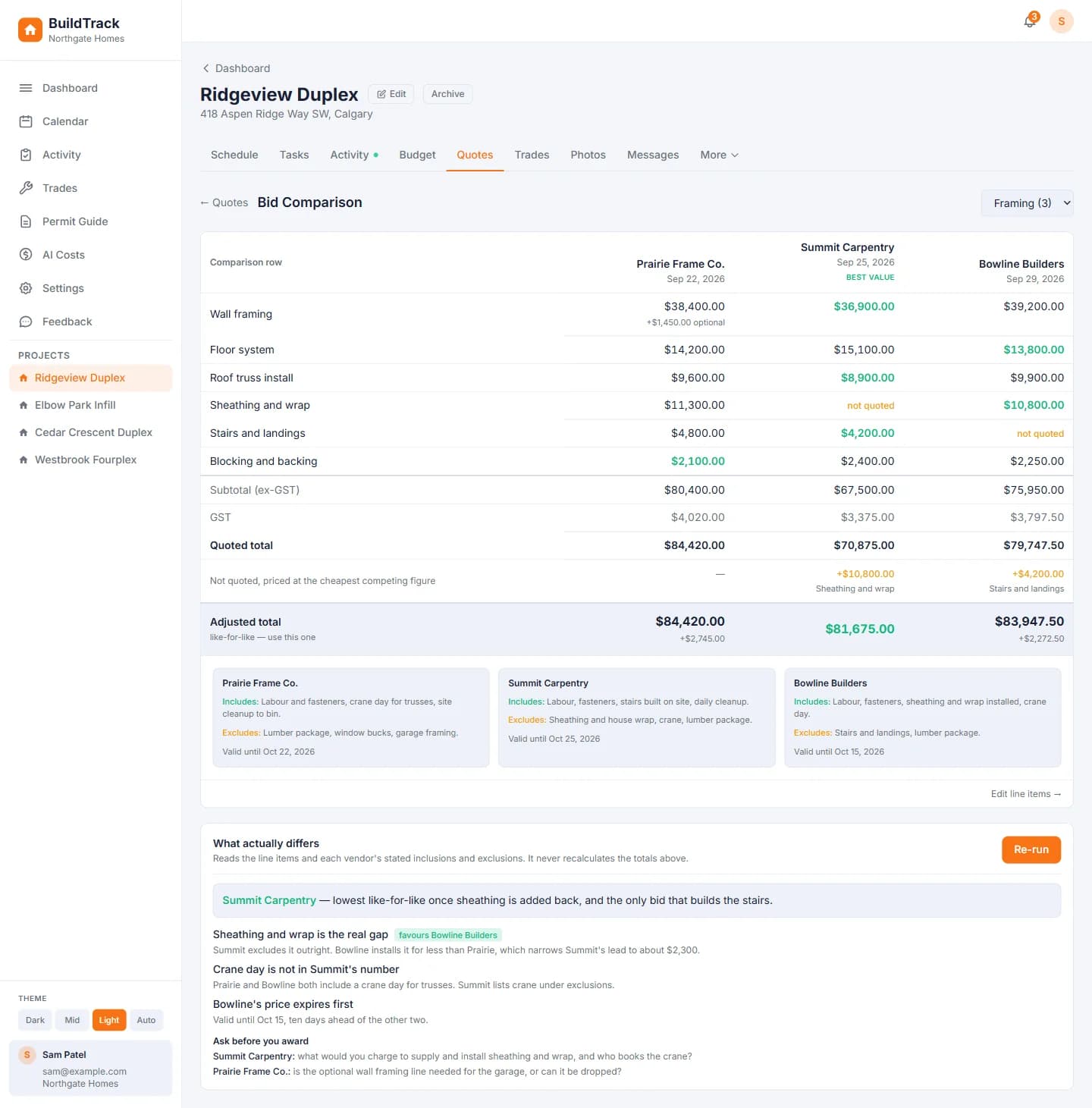
- 1Missing scope flagged
- 2The fair total
A schedule that moves itself
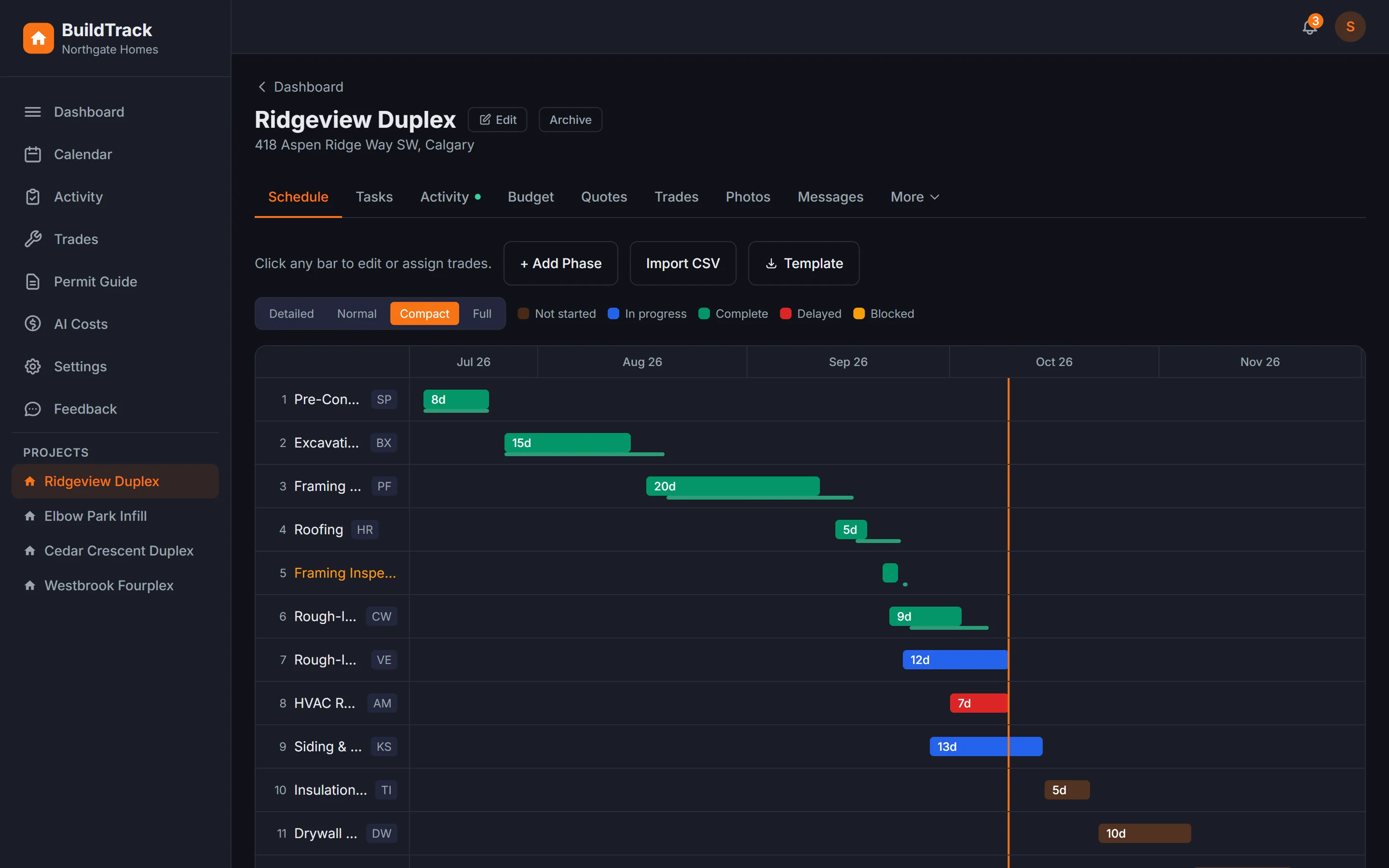
Each phase shows the plan with what really happened underneath, and a line marks today. When a phase runs late, every later phase moves with it, except dates pinned by hand. A whole schedule can be loaded from a spreadsheet.
- 1Import from a spreadsheet
- 2Planned, then actual
- 3Today
- 4Delayed phase
The lender's package in one printout
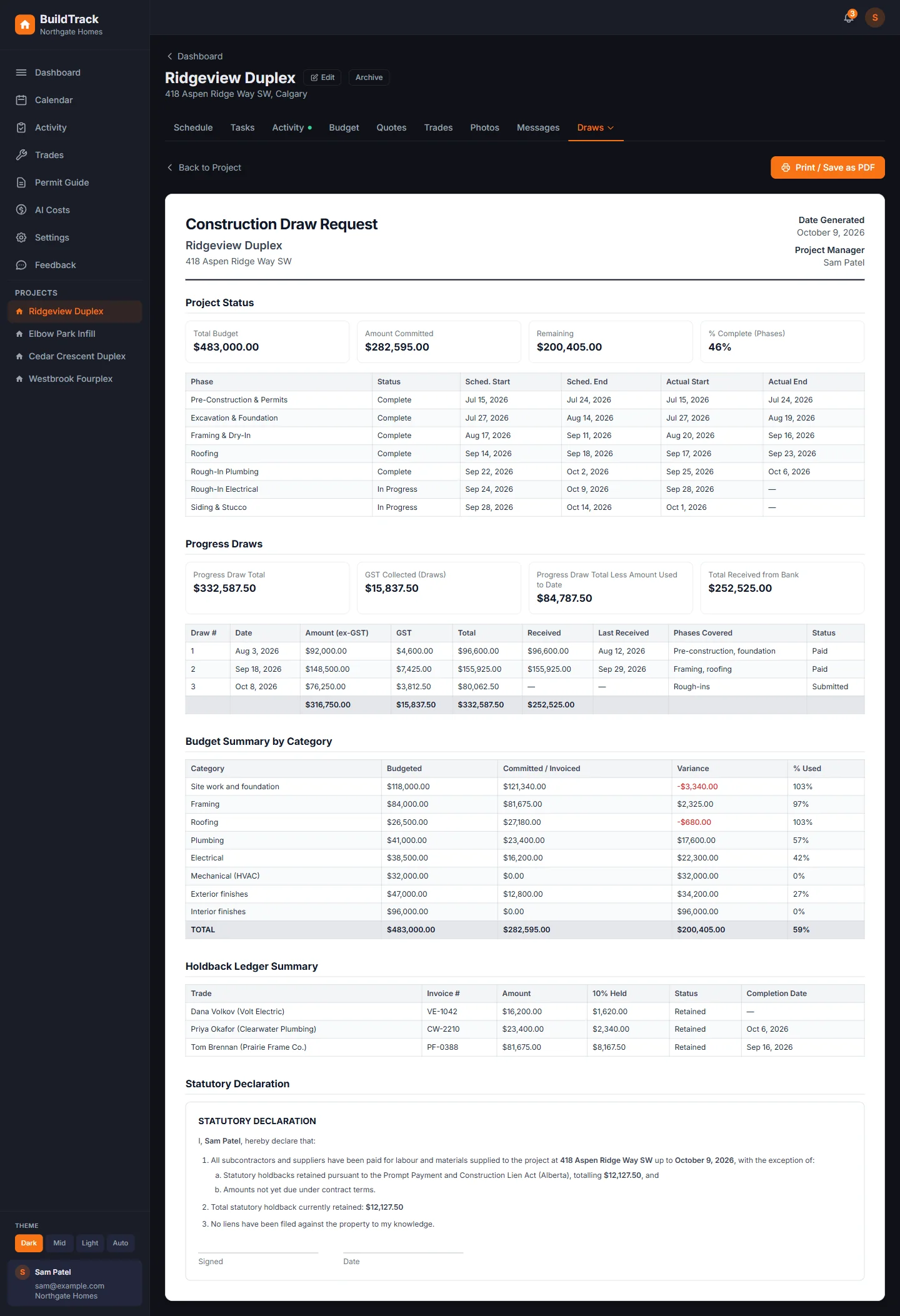
Progress, draws with GST, budget by category, holdback, permits, inspections and a statutory declaration, in one document. Each deposit from the bank is recorded against its draw, split payments included.
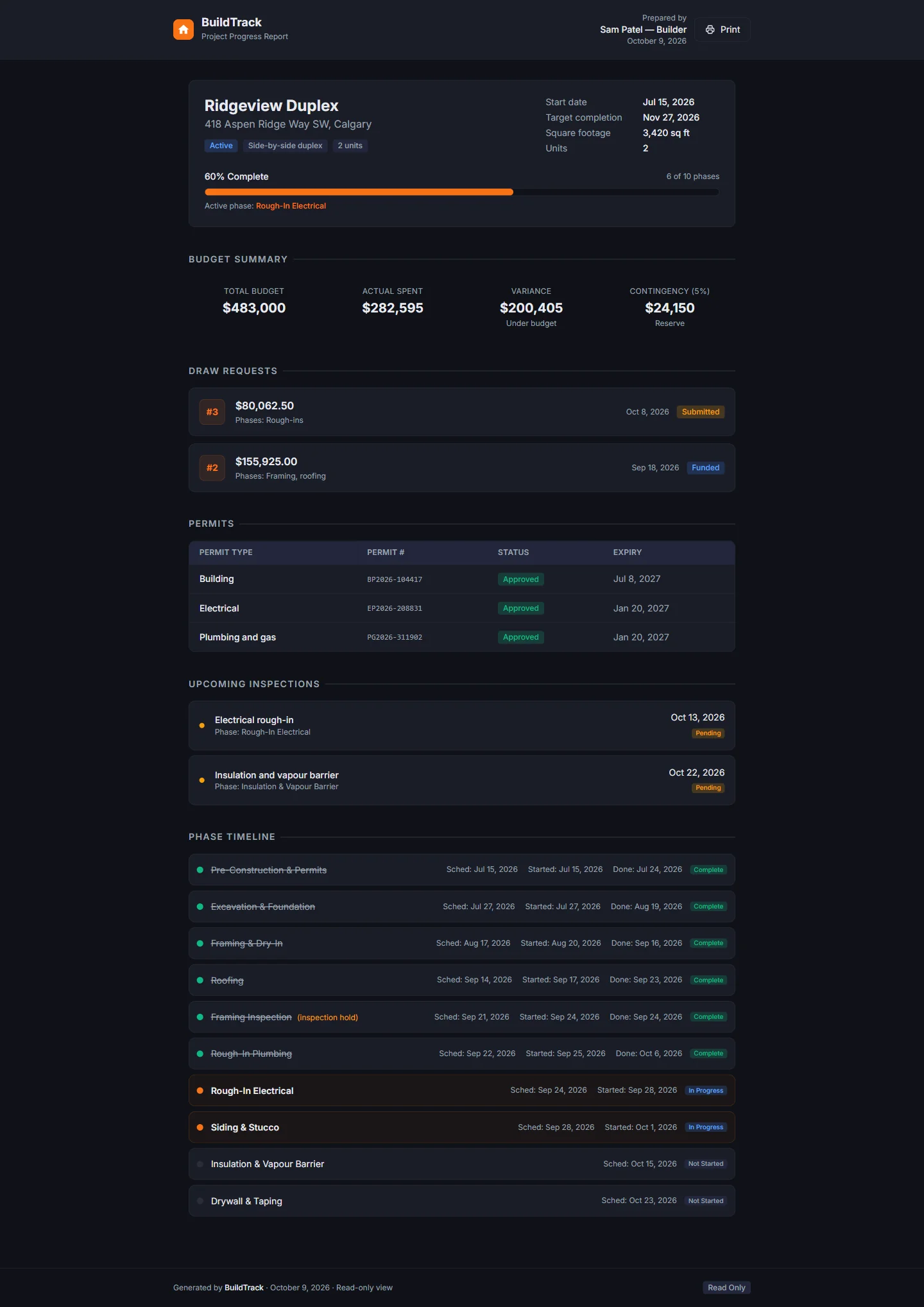
A view for the homeowner or lender
A private link shows progress, budget, draws, permits and inspections, with no login to set up.
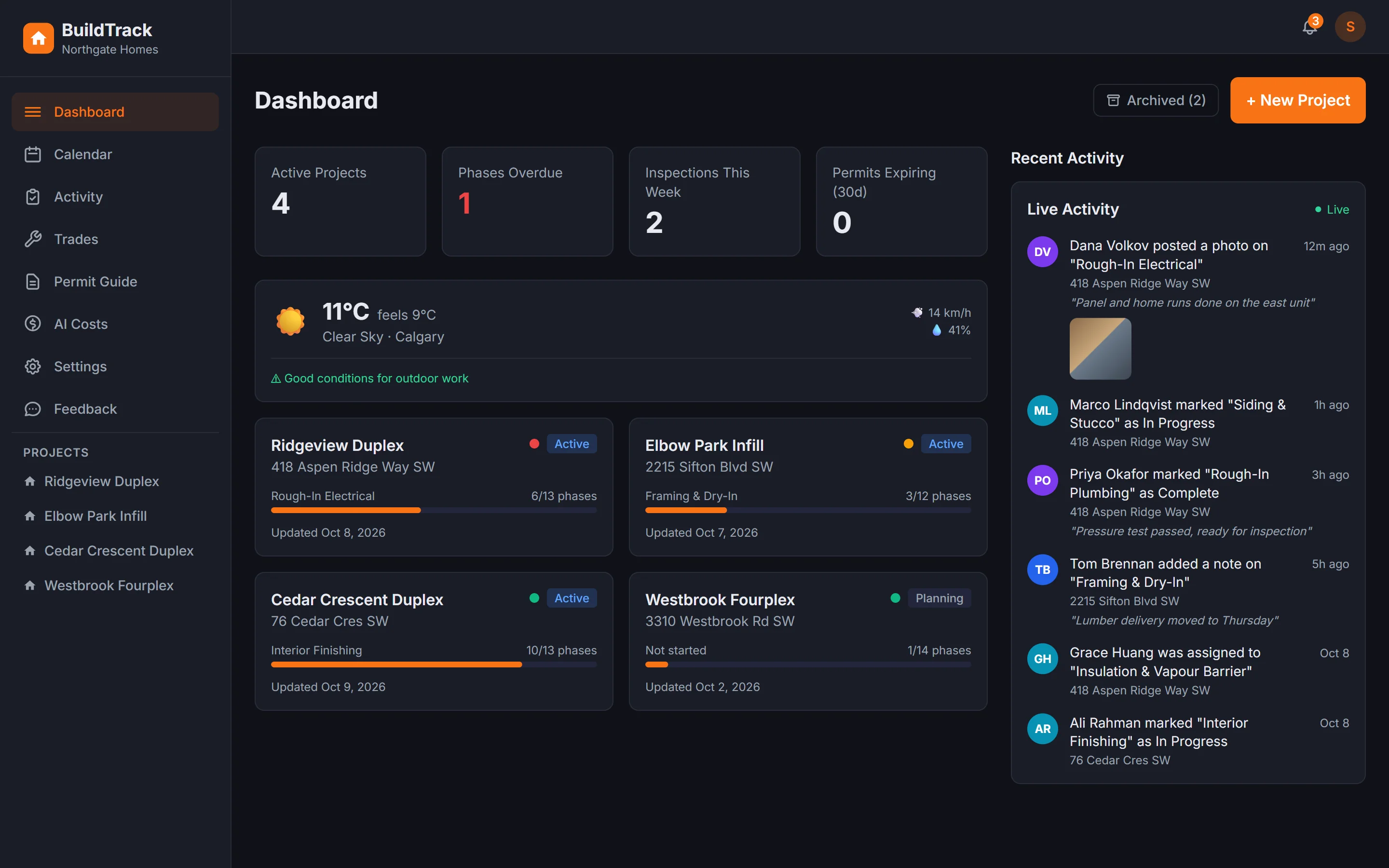
Every job on one dashboard
What is overdue on every house, the site weather, and updates from the trades as they arrive. Trades with missing or expired WCB clearance or insurance are flagged.
On the phone
The site tells the office.
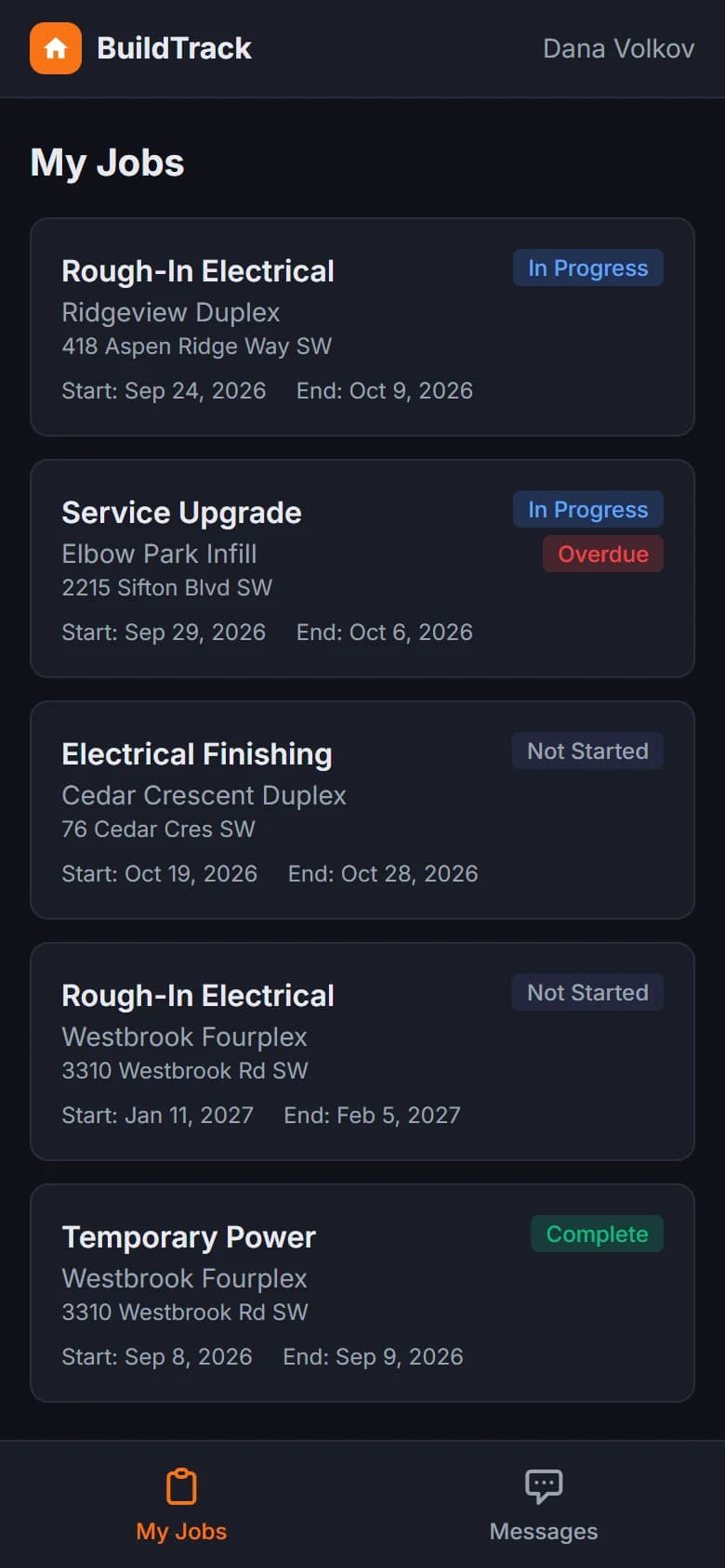
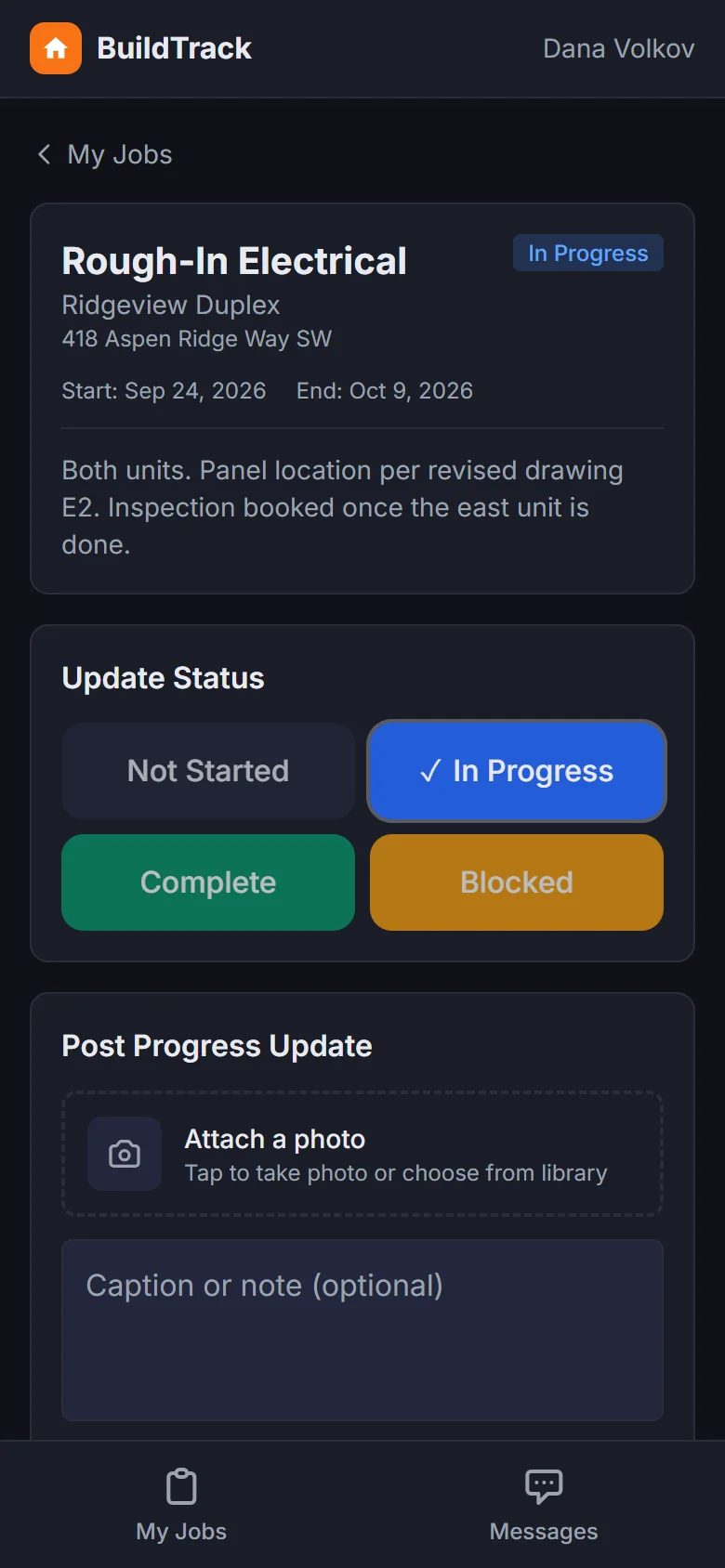
Trades add the app to their phone's home screen and see only their own jobs. One tap updates the status, takes a photo or leaves a note, and it lands on the right phase of the right house.
- Only their own jobs, overdue ones flagged
- Photos filed against the phase
- Shows up on the office dashboard as it happens
The result for the business
What changed day to day.
The site tells the office
Trades post where they are up to. Nobody spends Monday chasing four people for an update.
The lender gets one document
An evening of hunting through email and a phone gallery became one printout.
Bids compared on a fair total
The bid that looks thousands cheaper is checked for what it left out before anyone signs.
Honest limits
What it does not do
- Reading supplier quotes out of a PDF is built but not switched on. Bids are typed in today.
- It does not pay trades or move money. It records what was drawn, held and received.
- It does not book inspections. It keeps track of the permits and inspections that are booked.
Ownership
What they own
- Theirs from the first day.It runs in accounts in their business's name, not ours.
- Their records come out whole.Everything can be downloaded in one go.
- Anyone can pick it up.Built with ordinary tools and written down in plain words.
Does your business work a bit like this?
Tell us the part of your week that is worst. The first call is thirty minutes and free, and you get a written price before anything starts.